The Jetfighter

Flight simulation old and new

How to install Jetfighter V: Homeland Protector on Windows 11

 How to install Jetfighter V: Homeland Protector on Windows 11
How to install Jetfighter V: Homeland Protector on Windows 11

Jetfighter V: Homeland Protector was the last good title, in my opinion, of the once great Jetfighter saga of combat simulation video games, the saga that got me into flight simulators way back in the early nineties. 

Published in 2003, the game shows a substantial upgrade in graphics with brilliant colors, realistic (by the time) skies and clouds and weather effects, including fog and rain. 

In terms of playability, this is the most “arcade” of the whole saga. Many aspects of the “simulation” commands and procedures were left out, including the take-off and landing from carriers, a very challenging and yet fun feature that made Jetfighter games famous.

But despite its lack of details in the “realistic” department, Jetfighter V: Homeland Protector still can be played as an actual flight simulation game with all the fun and maneuverability that comes with this kind of games.

Even though the game was released about two decades ago, it still can be installed and played in modern PC with the most recent version of Windows after some adjustments here and there.

Software needed

1. The game files: You can use your regular installation CD of the game or an .ISO image. As far as I know, the game could be in the “abandonware” category and the installation files can be downloaded from several website, among those sites are Archive.org and MyAbandonware.com. 

2. No CD Patch: Once the game is installed, it will ask for the “game CD” to be active in the CD drive, but even with the .ISO file mounted, the game usually won’t work. This patch will fix this issue and can be downloaded from here. 

Installation process

1. Insert the Jetfighter V: Homeland Protector installation CD in the CD drive or mount cd .ISO image of the game. Then open the Autorun file and press the “Install Game” button that will appear on the screen.
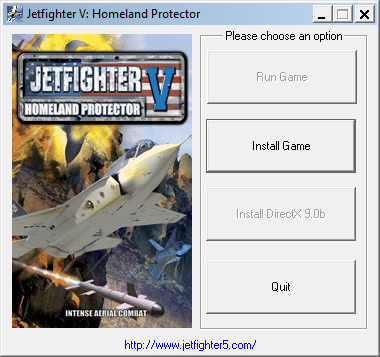
Jetfighter V: Autorun app main screen

You will now enter the main installation program of the game. This is one of those “click Next and the Next” cases until the installation is done.
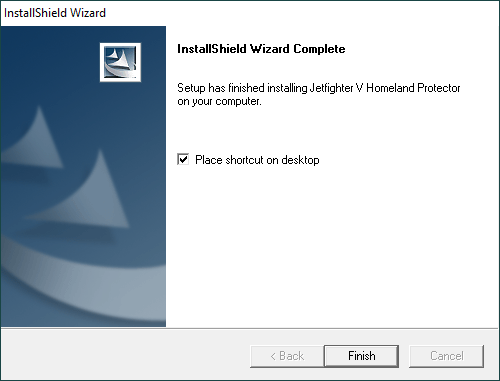
Don't forget to let the program create a shortcut on desktop
Don’t forget to let the program create a shortcut on desktop

DO NOT run the game yet, we now need to install the Patch. Uncompress the No CD Patch .RAR file and look for the Game.exe archive.
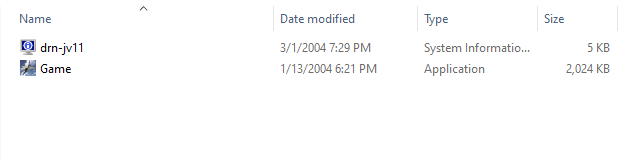
No CD Patch file
No CD Patch file

3. Now copy the Game.exe file from the No CD Patch and overwrite the one located in the Jetfighter V installation folder. By default, the game is installed in the following folder:

C:\Program Files (x86)\Global Star Software\Jetfighter V

4. Final step. Right click on the game’s desktop shortcut and select the compatibility tab. Once there, set the Compatibility Mode to Windows XP (Service Pack 3) and select the Run this program as an administrator checkmark.
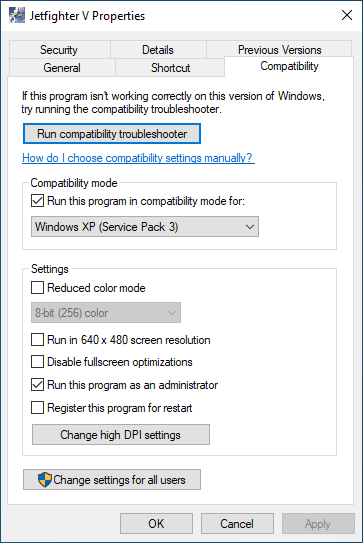
Jetfighter V shortcut's compatibility tab
Jetfighter V shortcut’s compatibility tab

5. Enjoy flying Jetfighter V: Homeland Protector!

Jetfighter V multiplayer

Jetfighter V has the multiplayer feature available to use. I have personally tested the multiplayer through LAN option, and it works flawlessly. So, theoretically speaking, Jetfighter V can be played over the Internet if you run the game through a VPN service.

If you want to play this game using its multiplayer feature join The Jetfighter’s Discord Server and get in touch with the community to organize some online air battles and give this game, and other classic titles a new life!
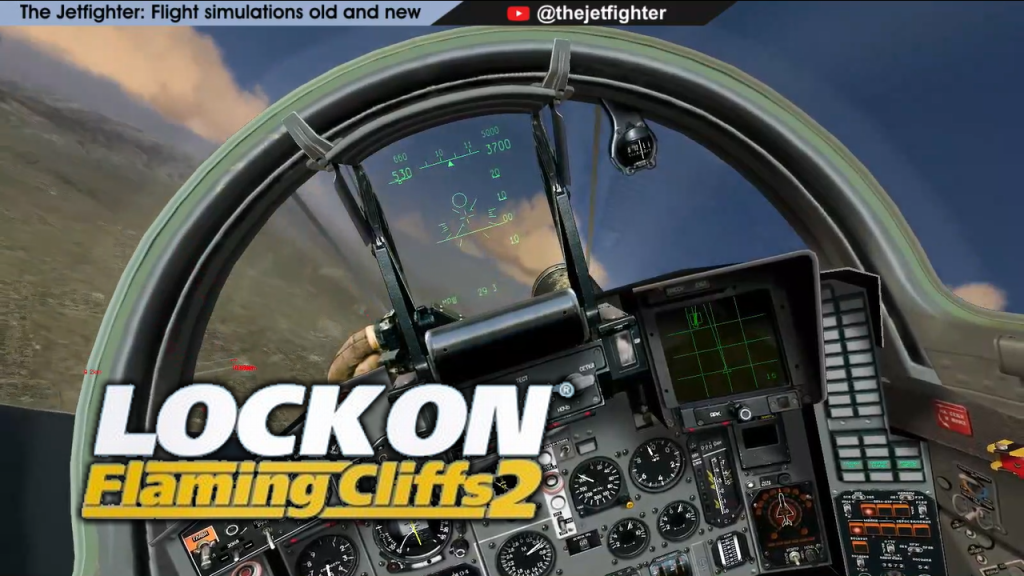
LockOn Flaming Cliffs 2: My first mission flying the MIG-29S

LockOn Flaming Cliffs 2: My first mission flying the MIG-29S

Since my PC cannot run DCS, a friend of mine sent me some information about this flight simulation game called “LockOn”. As I researched more about this title, I found out that this game is actually the “father” of DCS, developed by the same company: Eagle Dynamics. As soon as knew this I immediately had to get my hands on this sim, so here we are.

In this video I’m flying my favorite Russian fighter jet, the MIG-29. Despite being a game released almost two decades ago I have to say that this game is still a kiss ass simulator. And the best of all is that there is still a community of players creating MODS for it and flying online missions from time to time.

I’m working to build a community around The Jetfighter so I recently opened a Discord Server to have a place to meet and communicate to other flight simulation fans around the world.

You’re all invited to join and flight with me in this adventure, click on the following link to join: The Jetfighter’s Discord Server.

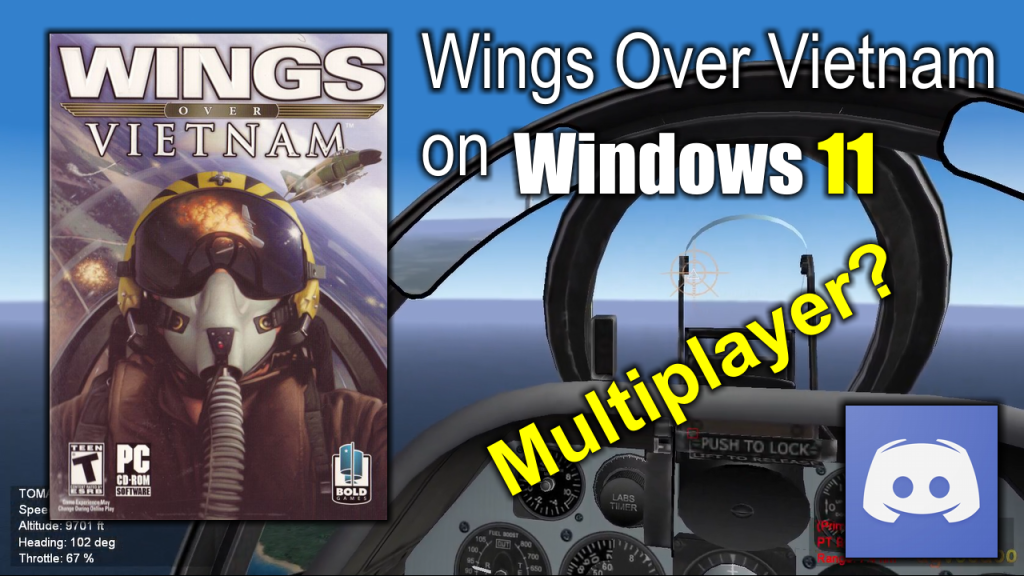
Playing Wings Over Vietnam on Windows 11

Wings Over Vietnam on Windows 11

Today I’m flying Wings Over Vietnam, a flight simulator video game released back in 2004 for Windows XP. I’ve been trying to run this game on a modern PC for a while. Officially the game was not compatible with Windows 11, but I finally managed to make it run in this version.

The game looks and runs very smooth. The company that released Wings Over Vietnam later released Strike Fighters 2, a superior game in both graphics and compatibility with new Windows versions. But unfortunately, despite being a technologically superior game, Strike Fighters 2 lacks the multiplayer feature that an older game like Wings Over Vietnam has.

Introducing my new Discord Server

Now, since I could finally make the game work on a modern PC, I’d like to form a group of “virtual pilots” to give this game a new wave of life and maybe, just maybe, convince the original developer to give Strike Fighters 2 the multiplayer feature it desperately needs.

At first, I want to try the multiplayer feature of all the “Wings of” game series. The Strike Fighters games series has a great community of fans and modders that have been keeping the game alive for more than a decade, so I’d like to help the Strike Fighters community to get to a new level and bring all of those planes, weapons, effects and scenarios to the multiplayer arena, or in this case, the multiplayer skies.

Join the new Discord server to fly some Strike Fighters, and other flight sims, missions together.

Page 17 of 23

Powered by WordPress & Theme by Anders Norén