Flight simulation old and new

Tag: How to install Page 8 of 14

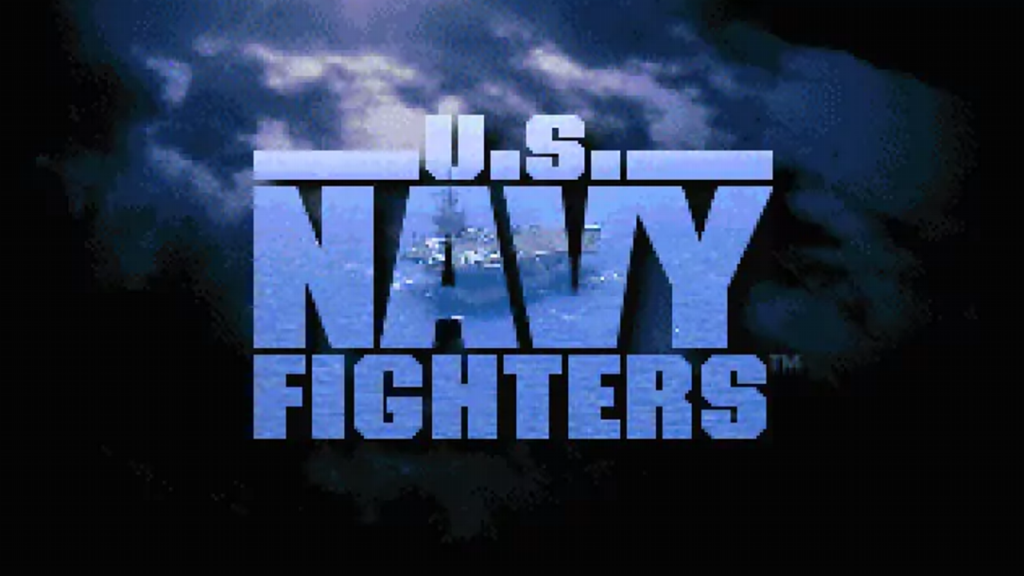
How to install US Navy Fighters on Windows 10/11

How to install US Navy Fighters on Windows 10/11

One of the first entries in Electronic Arts’ successful flight simulation series and the first flight simulator video game to be released on CD-ROM. U.S. Navy Fighters is a fun flight sim that will make you fly back to the era of the great classic simulators.

In this post I will show you one of the easiest ways to install U.S. Navy Fighters on a Windows 10 or Windows 11 PC.

What do you need to make the installation

To complete the installation of U.S. Navy Fighters on your Windows 10/Windows 11 PC you will need the following programs or software:

  1. Installation CDs or installation .ISO image. (Download)
  2. D-Fend Reloaded. A graphical environment for DOSBox, program that emulates a complete computer including the DOS command line and allows to run nearly all old DOS based games on modern hardware with any of the newer Windows versions (Download / Installation process).

Installation process

This is a standalone and straight forward installation process which is explained with more detail in the following video:
How to install Strike Fighters Project 1 on Windows 10/11

How to install Strike Fighters Project 1 on Windows 10/11

Strike Fighters is a combat flight simulation game that features one of the most versatile combat aircraft of all time, the McDonnell Douglas F-4 Phantom II.

The core of the game is traditional combat flight simulation. Players take command of a thundering jet fighter and engage in aerial dogfight with enemy fighters while seeking and destroying ground targets.

The game is set in the 1960s, when aviation technology was still primitive, but advancing at a rapid pace. Some missiles and guided weapons are available later in the game, but true to history, they remain somewhat unreliable and inaccurate.

Most air battles involve visceral, in-your-face gunfights, and your skill at outmaneuvering your enemies remains the key to victory and survival.

In this post I will show you one of the easiest ways to install Strike Fighters Project 1 on a Windows 10 or Windows 11 PC.

What do you need to make the installation

To complete the installation of Strike Fighters Project 1 on your Windows 10/Windows 11 PC you will need the following programs or software:

  1. Strike Fighters Project 1’s installation CD or .ISO image. (Buy / Download)
  2. Strike Fighters Project 1 v05.15.06 Service Pack (Download)
  3. Strike Fighters Project 1 v08.30.06 Patch (5.74 MB) (Download)
  4. The HDR Mod 1.01A. Available for download at CombatAce, an excellent online community of flight simulation players and modders. (Download)
  5. dgVoodoo, a legacy DirectX and Glide graphics card API wrapper/implementation program1 that provides support to run Windows and DOS-based old programs using Glide or DirectX. (Download)

Installation process

In the following video, which you can also find on my YouTube Channel I explain the step-by-step installation process.

How to install Jane’s AH-64D Longbow on Windows 10 and Windows 11

How to install Jane's AH-64D Longbow on Windows 10 and Windows 11
How to install Jane’s AH-64D Longbow on Windows 10 and Windows 11

Jane’s AH-64D Longbow is a realistic combat flight simulator based on the AH-64D Apache Longbow attack helicopter. The game was released on June, 1996 for the PC and was developed at Origin Systems. AH-64D Longbow was the second simulator released under the Jane’s Combat Simulators line from Electronic Arts.

In this post I will show you one of the easiest ways to install Jane’s Combat Simulations AH-64D Longbow on a Windows 10 or Windows 11 PC.

What do you need to make the installation

To complete the installation of Jane’s AH-64D Longbow on your Windows 10/Windows 11 PC you will need the following programs or software:

  1. Installation CDs or installation .ISO images. (Download
  2. D-Fend Reloaded. A graphical environment for DOSBox, program that emulates a complete computer including the DOS command line and allows to run nearly all old DOS based games on modern hardware with any of the newer Windows versions (Download / Installation process).

Installation process

This is a standalone and straight forward installation process which is explained with more detail in the following video:

Page 8 of 14

Powered by WordPress & Theme by Anders Norén