Flight simulation old and new

Tag: How to install Page 9 of 14

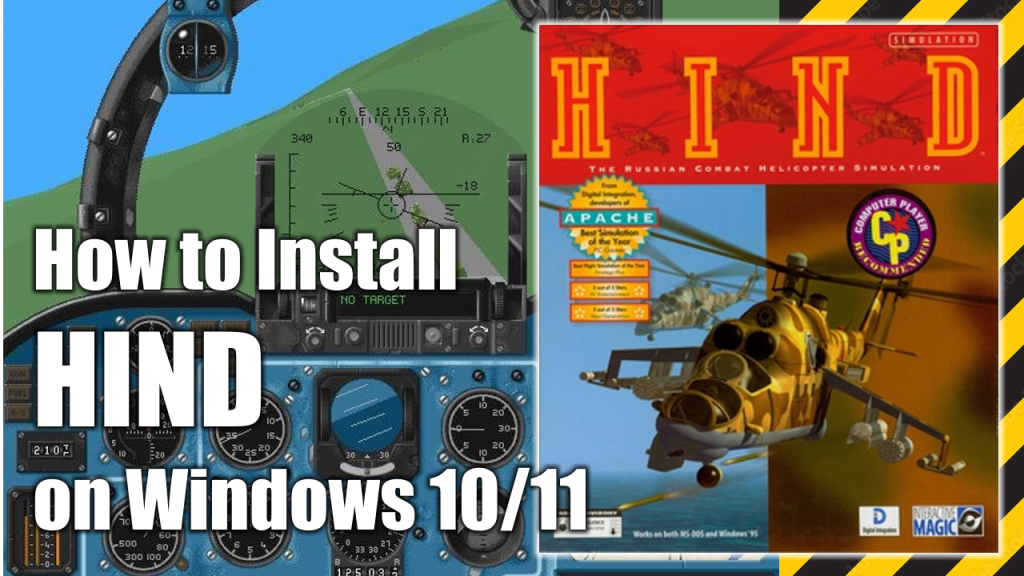
How to install HIND (Digital Integration, 1996) on Windows 10/11

How to install HIND (Digital Integration, 1996) on Windows 10/11

Hind is a combat flight simulation game released by Digital Integration in 1996 for MS-DOS compatible operating systems and Microsoft Windows. It is the successor to Apache. The game features the Soviet military Mi-24V Hind-E helicopter.

In this article I will show how to install this game and make it work on Windows 10 or Windows 11 computers.

What do you need to make the installation

To complete the installation of Digital Integration’s HIND on your Windows 10/Windows 11 PC you will need the following programs or software:

  • WineVDM. Allows modern 64-bits PCs to run 16-bit Windows programs. (Download)
  • HIND’s installation CDs or .ISO images. (Download)
  • DxWnd (Download)
  • DxWnd Fix (Download)

Installation process

This is a standalone and straight forward installation process which is explained with more detail in the following video:

How to install Apache (Digital Integrations, 1994) on Windows 10/11

How to install Apache (Digital Integrations, 1994) on Windows 10/11

Considered by many to be the most powerful chopper ever to take to the skies, the Apache Longbow is the star of this detailed simulation.

Doing battle in four different combat theaters, you’ll use the strength and agility of the Apache to defeat packs of Russian tanks, anti-aircraft systems, and other deadly threats.

In this article I will show you how to install Apache on modern Windows 10 or Windows 11 computers.

What do you need to make the installation

To complete the installation of Digital Integration’s HIND on your Windows 10/Windows 11 PC you will need the following programs or software:

  • WineVDM. Allows modern 64-bits PCs to run 16-bit Windows programs. (Download)
  • Apache’s installation CDs or .ISO images. (Download)
  • DxWnd (Download)
  • DxWnd Fix (Download)

Installation process

This is a standalone and straight forward installation process which is explained with more detail in the following video:

How to install Flanker 2.5 and update to Flanker 2.51 on Windows 10/11

 How to install Flanker 2.5 and update to Flanker 2.51 on Windows 10/11
How to install Flanker 2.5 and update to Flanker 2.51 on Windows 10/11

Flanker 2.0 is a combat flight simulator developed by Eagle Dynamics and released in 1999. It is a direct sequel to SU-27 Flanker. The game allows players to fly the Sukhoi SU-27 and SU-33 in combat missions.

In 2001, a major patch titled Flanker 2.5 was released for free to users who already owned Flanker 2.0 but was also available as a fully new purchasable game.

In this article I will show you how to install the standalone version of Flanker 2.5 and its upgrade to Flanker 2.51 and to make it work on Windows 10 or Windows 11 PCs.

What do you need to install Flanker 2.51

In order to install Flanker 2.5 and its upgrade to Flanker 2.51 you will need to download the following programs:

  • Flanker 2.0 Installation CD/Image (Download)
  • Flanker 2.5 Installation CD/Image (Download)
  • Flanker 2.5 Patch (Download)
  • Flanker 2.5 Training / Missions update patch (Download)
  • Flanker 2.51 Upgrade (Download)
  • Flanker 2.51 No CD Patch (Download)

Alternative filesĀ Download (in case the one given above don’t work).

Installation process

This is a standalone and straight forward installation process which is explained with more detail in the following video:

Page 9 of 14

Powered by WordPress & Theme by Anders Norén